



Most codebases don’t become messy because developers are careless. They become messy because software changes faster than structure. New features get added under time pressure, old assumptions break, and shortcuts accumulate. Over time, even well-written systems turn into something harder to understand, harder to modify, and more fragile than they should be.
Refactoring is the discipline that prevents that decay—or reverses it. But “cleaner code” is not just about aesthetics. It’s about reducing cognitive load, improving maintainability, and making future changes less risky.
The challenge is that refactoring is often misunderstood as a one-time cleanup task. In reality, it’s a continuous engineering practice.
What “Clean Code” Actually Means in Practice
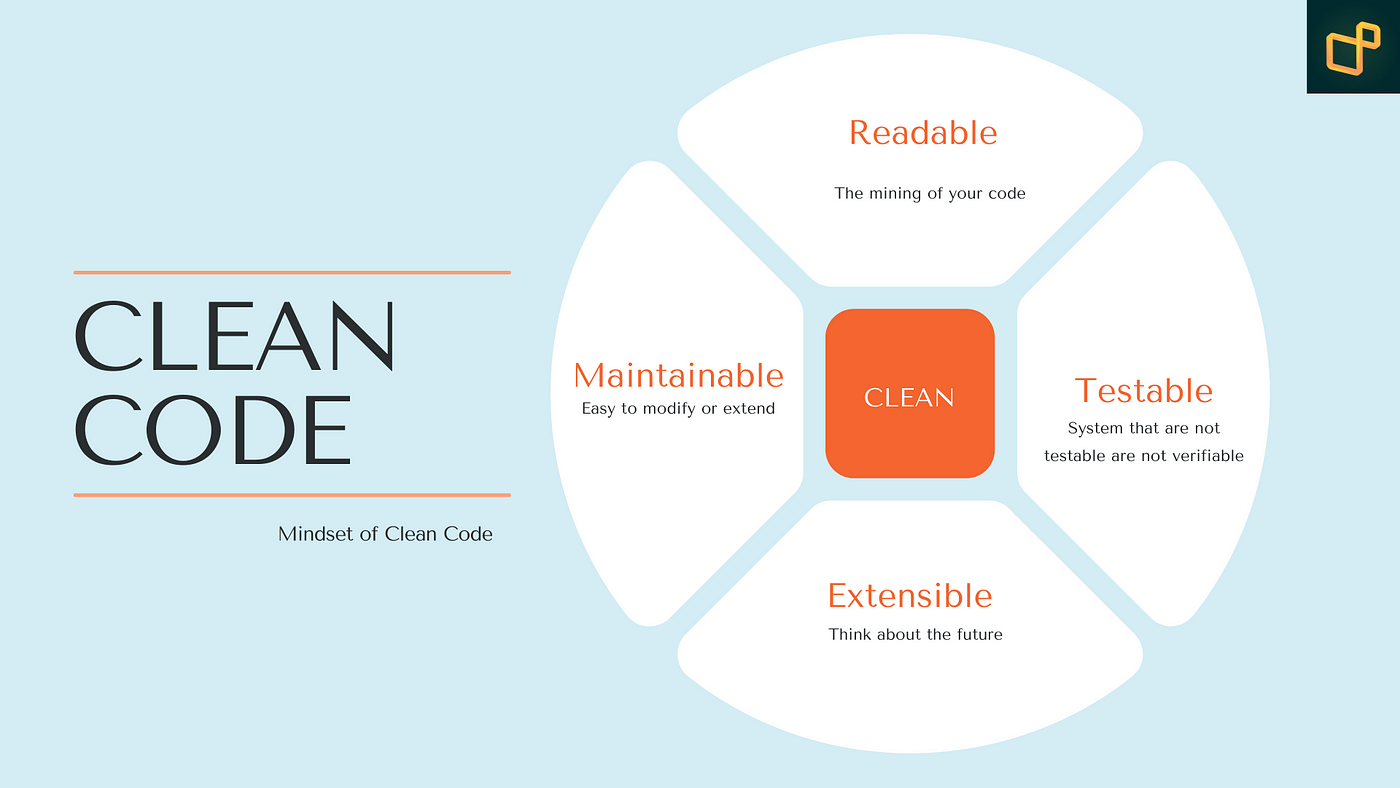
Clean code isn’t about perfect formatting or strict rules. It’s about how easily a developer can understand and safely modify a system.
A useful way to think about it is:
- Can another developer understand this code quickly?
- Can changes be made without unintended side effects?
- Can bugs be located without deep mental tracing?
If the answer is “no,” the code may function correctly but still be considered unclean.
Refactoring is the process of improving these qualities without changing what the code actually does.
1. Start with Small, Safe Refactoring
The most important principle in refactoring is also the simplest: don’t break behavior.
Large rewrites are risky because they introduce uncertainty. Instead, effective refactoring happens in small steps.
Examples of safe micro-refactors:
- Renaming variables for clarity
- Extracting repeated logic into functions
- Simplifying nested conditions
- Removing unused code paths
Each change should be reversible and testable. The goal is continuous improvement, not dramatic rewrites.
This approach reduces fear. Once refactoring becomes low-risk, it becomes routine rather than a special event.
2. Eliminate Code Duplication Early
Duplicate code is one of the fastest ways complexity grows in a system. At first, duplication feels harmless—just copy-paste a small function. But over time, duplicated logic diverges and becomes inconsistent.
A key strategy is:
If you copy it twice, consider abstracting it.
Common refactoring patterns:
- Extract shared functions
- Introduce utility modules
- Use configuration-driven logic instead of repeated conditionals
However, abstraction should be justified. Over-abstracting too early can make code harder to follow. The goal is to reduce meaningful duplication, not eliminate repetition at all costs.
3. Reduce Function Size to Reduce Cognitive Load
Large functions are not just longer—they are harder to reason about.
When a function does too many things, the brain has to hold multiple responsibilities at once. This increases the chance of missed edge cases and bugs.
A good refactoring strategy is:
- Identify distinct responsibilities inside a function
- Extract them into smaller, named functions
- Ensure each function does one clearly defined job
This improves readability and makes debugging easier because each piece can be tested independently.
4. Replace Complex Conditionals with Clear Structure
Deeply nested conditionals are one of the most common sources of unreadable code.
For example:
- Multiple
if-elsechains - Nested branching logic
- Repeated checks scattered across a function
Refactoring strategies:
- Use early returns to flatten logic
- Replace condition chains with lookup tables or maps
- Use polymorphism or strategy patterns where appropriate
The goal is to make logic linear rather than nested. Linear code is significantly easier for humans to reason about.
5. Improve Naming Before Changing Logic
One of the most underrated refactoring techniques is renaming.
Bad names force developers to read implementation details just to understand intent. Good names eliminate that need.
Examples:
data→userSessionDatahandle()→processPaymentRequest()temp→calculationBuffer
Renaming does not change behavior, but it dramatically improves readability. It is often the safest and highest-impact refactor you can make.
A useful rule: if you need a comment to explain a variable, the name is probably wrong.
6. Separate Business Logic from Infrastructure
One common source of complexity is mixing concerns.
For example:
- Database queries inside business logic
- API formatting inside core calculations
- Logging and side effects scattered throughout functions
A cleaner approach is separation:
- Business logic should be pure and testable
- Infrastructure (database, APIs, file systems) should be isolated
- Interfaces should connect the two layers
This separation makes code easier to test, reuse, and modify without unexpected side effects.
7. Refactor Around Data Structures, Not Just Code
Often, complexity is not caused by functions—it’s caused by poor data modeling.
If your data structure is confusing, no amount of refactoring functions will fully fix the problem.
Signs of poor data structure:
- Too many optional fields
- Unclear relationships between objects
- Overloaded generic structures (like large JSON blobs)
Refactoring strategy:
- Split large objects into smaller domain-specific models
- Make required fields explicit
- Align data structures with real-world concepts
Good data design simplifies everything built on top of it.
8. Use Tests as a Safety Net for Refactoring
Refactoring without tests is risky. Tests act as a behavioral contract that ensures you haven’t changed what the code does.
Effective approach:
- Write or strengthen tests before refactoring
- Focus on behavior, not implementation
- Run tests frequently during changes
Even minimal test coverage is better than none. It gives confidence to make incremental improvements instead of avoiding refactoring altogether.
9. Refactor “Hot Paths” First
Not all code is equally important. Some parts of a system are rarely touched, while others change frequently.
Prioritize refactoring:
- Frequently modified modules
- Bug-prone areas
- Core business logic
- Performance-critical paths
Cleaning stable, rarely used code provides less immediate value than improving areas where developers spend most of their time.
10. Refactor Continuously, Not Periodically
One of the biggest mistakes teams make is treating refactoring as a separate phase.
In reality, clean code is maintained through constant small adjustments:
- While adding features
- While fixing bugs
- While reviewing pull requests
This “continuous refactoring” approach prevents technical debt from accumulating into large, risky cleanup projects.
Common Mistakes in Refactoring
Even with good intentions, refactoring can go wrong:
Over-abstraction
Creating unnecessary layers makes code harder to follow instead of simpler.
Large rewrites
Trying to “fix everything at once” increases risk and often introduces new bugs.
Changing behavior unintentionally
Refactoring should not alter external behavior unless explicitly intended.
Ignoring readability in favor of cleverness
Optimized or “smart” code is not always maintainable code.
The Real Goal: Reducing Mental Effort
The ultimate purpose of refactoring is not cleaner code in a cosmetic sense. It is reducing the mental effort required to work with a system.
Every unnecessary abstraction, unclear name, or hidden dependency increases cognitive load. Over time, that slows development more than any performance issue ever will.
Clean code is simply code that respects the developer’s attention.
Conclusion
Refactoring is not a cleanup task—it is an ongoing design discipline. The most effective strategies are not dramatic rewrites but small, consistent improvements: better naming, smaller functions, clearer structure, and stronger separation of concerns.
The real skill is not knowing how to write perfect code from the start. It is recognizing when existing code can be made simpler—and improving it safely without disrupting what already works.
In the long run, systems that are continuously refactored stay flexible. Systems that are ignored eventually become constraints.








Comments are closed